Find keys by service
GitHub2 keys
Office KeyPrimary
Home BackupBackup
Search any service to find the physical Keys recorded there.
Plan your primary and backup keys and record which services each key protects. NOPKEY highlights what needs attention.
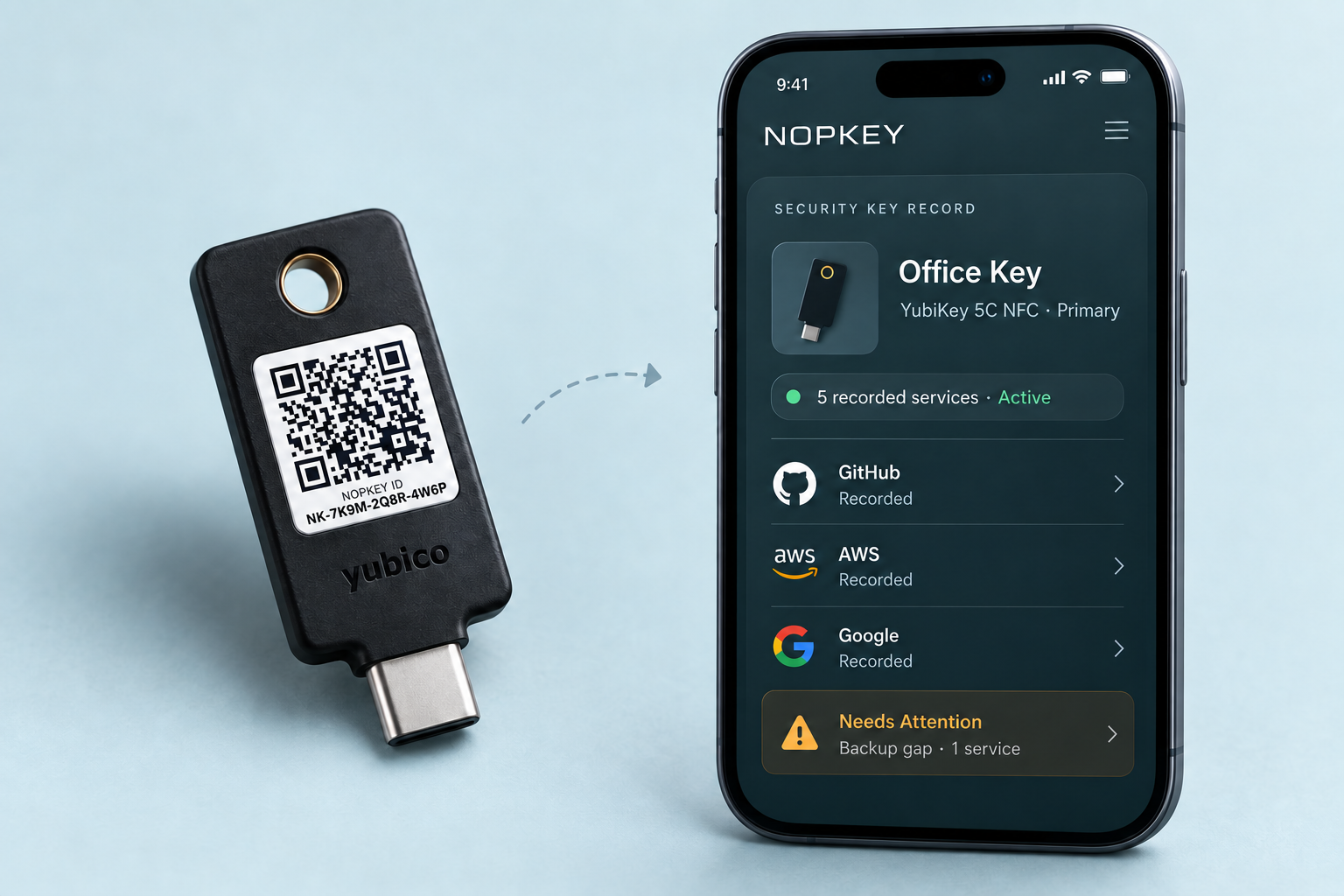
Search any service to find the physical Keys recorded there.
Keep Primary and Backup Keys grouped by purpose.
See where a Primary is recorded without a Backup.
Get a checklist of services that may need action.
Based on the Key records you maintain. NOPKEY does not check your accounts or services directly.
NOPKEY turns your Primary and Backup plan into clear Key records, then highlights what may need attention.
Choose a recommended Primary and Backup setup, or build your own.
Create and print a NOPKEY ID, or attach an official ID Label.
Name the physical Key and record which accounts and services use it.
NOPKEY compares your plan with your records and highlights services with no Backup Key recorded, records to review, and loss or replacement actions.
Personal keeps your own Key records simple. Team adds holders, assignments, and shared management.
Enter the NOPKEY ID printed beside the QR code.
Scan the QR code with your phone camera, or enter the printed ID below.
ID Labels give each Key a scannable identity. Cases add optional everyday protection.
Guidance is based on records maintained by you or your Team; NOPKEY does not independently verify third-party registrations.
Get a recommended Primary and Backup setup, or sign in to manage the Keys you already have.